

Discover why on-device AI on laptops is transforming privacy and security. Explore real-world examples, expert advice, and practical steps to protect your data in 2025.
On-device AI—where artificial-intelligence processing happens directly on your laptop instead of the cloud—is emerging as a game-changer for privacy and security. By keeping data local, it minimizes exposure, latency, and external dependencies. Yet, it isn’t foolproof: proper hardware, updates, and awareness are essential to truly safeguard your digital footprint.
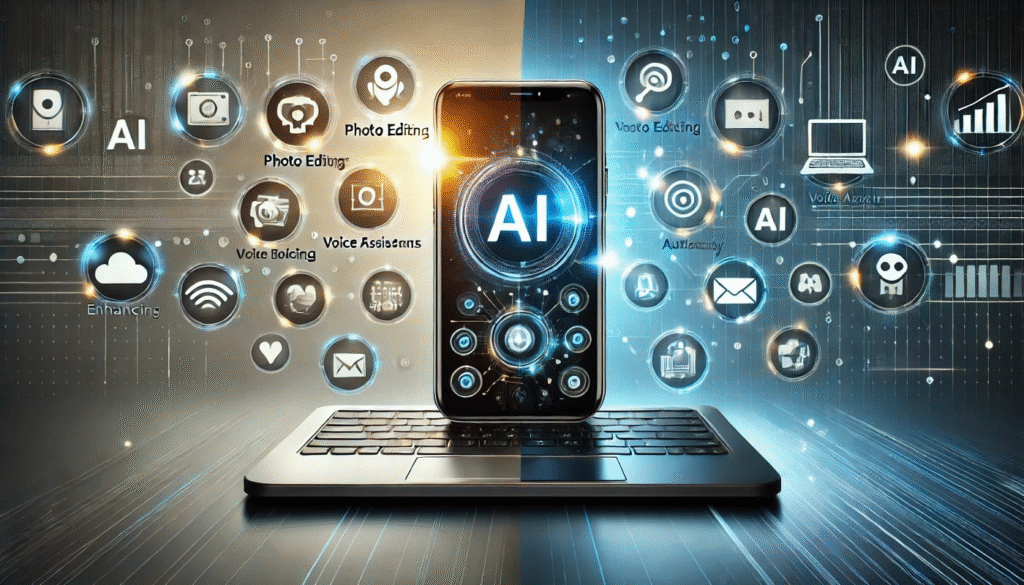
1. What Is On-Device AI and Why Does It Matter for Laptop Privacy and Security?
Defining On-Device AI
On-device AI means that the AI models and computations run directly on your laptop’s hardware, instead of sending your data to cloud servers.
When you dictate text, unlock your screen with facial recognition, or let an assistant predict your next word, those operations can happen locally—powered by Neural Processing Units (NPUs) or AI accelerators.
According to “sensitive data never leaves the device” when on-device intelligence is used—an approach that reduces exposure dramatically.
Why It Matters
- Less Data in Transit: Since your laptop handles computation, fewer packets travel through networks where they could be intercepted.
- Fewer Central Points of Failure: Cloud data centers often store aggregated information. With local AI, breaches are isolated to individual endpoints.
- Immediate Threat Detection: Security systems with on-device AI identify anomalies in real-time—no internet round-trip required.
- User Autonomy: You decide how your data is processed, enhancing privacy-by-design principles.
Apple Inc. summarized this perfectly: “Data that exists only on user devices is by definition disaggregated and not subject to any centralized point of attack.”
Real-Life Example
Imagine you’re preparing confidential business plans. With local AI spell-checking, voice dictation, and auto-summaries—all processed inside your device—no sensitive text ever reaches external servers. Compare that with cloud-based assistants, which often transmit content to distant servers for analysis.
2. Advantages of On-Device AI for Laptop Users
Privacy Benefits
- Minimized Exposure: Local processing keeps your communications and files off shared clouds.
- Smaller Data Footprint: No giant server logs, less metadata, and less chance of large-scale aggregation.
- Lower Latency = Higher Usability: Real-time response encourages privacy-friendly use of AI tools.
- Cost and Independence: No subscription for cloud compute; performance is consistent even offline.
- Enterprise Compliance: On-device AI enables regulated sectors (healthcare, finance) to stay compliant while still using advanced analytics.
Security Benefits
- Instant Threat Response: Local AI identifies malware or irregular patterns before they spread.
- Reduced Cloud Attack Surface: Less reliance on external endpoints cuts potential breach vectors.
- Hardware Shielding: Modern laptops integrate NPUs and secure enclaves designed for AI isolation.
- Data Loss Prevention: Local AI classifies and encrypts sensitive files before they can leave the device.
As notes, “AI can process vast amounts of data at high speeds—allowing detection of irregular patterns before threats escalate.”
Quick Pointers
- Local processing = less network exposure.
- Real-time AI detection = faster response.
- Hardware-embedded AI = tighter encryption.
- Enterprise control = better governance.
- Offline operation = consistent performance.
3. Why On-Device AI Is Not a Silver Bullet
Despite the advantages, local AI introduces new challenges.
Key Trade-Offs
- Hardware Limitations: Laptops have finite compute and power; local models must be compact or quantized.
- Model Vulnerabilities: Attackers could extract or poison local models.
- Update Complexity: Maintaining local models across thousands of devices is harder than updating one cloud instance.
- False Security Belief: “It’s local, so it’s safe” can lead to complacency.
- Cost Barrier: NPUs and AI-optimized chips increase device prices.
warns, “Don’t let anybody think, ‘Oh, great! It’s on device, and now we don’t have anything to worry about.’”
Illustrative Example — Microsoft Recall
Microsoft’s “Recall” feature in Copilot+ PCs locally stores screenshots every few seconds to help users search their history. Although encrypted, it raised privacy alarms because sensitive data—passwords, chats, banking screens—were recorded locally.
Lesson: Local doesn’t automatically mean safe. Transparency and access controls remain vital.
Limitations at a Glance
- Reduced accuracy vs cloud models.
- Persistent local threats (malware, theft).
- More complex updates.
- Higher hardware costs.
- Overconfidence can reduce vigilance.
4. Real-World Case Studies
Case 1 – Microsoft Copilot+ Recall
- Concept: Takes local screenshots for recall search.
- Risk: Sensitive visuals stored; potential insider or malware exploitation.
- Outcome: Feature delayed after regulator scrutiny.
- Takeaway: Demonstrates both innovation and privacy pitfalls of on-device AI.
Case 2 – Apple’s Privacy-First Design
Apple emphasizes Private Cloud Compute and local processing. “Data that exists only on user devices is disaggregated,” Apple notes.
Lesson: Balancing on-device AI with selective secure cloud processing yields optimal privacy.
Case 3 – Enterprise Endpoint AI
studied AI PCs with Intel vPro security. Findings: endpoint AI enhances privacy, reduces breach surface, and speeds incident response.
Lesson: On-device AI is evolving beyond consumer gadgets—it’s reshaping corporate security frameworks.
5. Is On-Device AI Really the Key to Laptop Privacy and Security?
Expert Assessment
On-device AI is not the only key—but it’s a critical component of the modern privacy and security ecosystem.
Why It’s Essential:
- Reduces data exposure to cloud networks.
- Enables fast, context-aware threat response.
- Aligns with privacy-by-design principles.
- Empowers user control and local autonomy.
Why It’s Insufficient Alone:
- Security remains multi-layered: encryption, OS hardening, network protection, and user training still matter.
- Improper configurations can create new risks.
- Cost and adoption barriers may exclude some users.
Verdict:
On-device AI is a foundation—not a finish line—for privacy-first laptop computing. Used wisely, it transforms how data is handled, but only in partnership with broader security hygiene.
6. Practical Guide: Maximize Laptop Privacy with On-Device AI
1. Choose AI-Capable Hardware
- Prefer laptops featuring NPUs (Neural Processing Units).
- Verify OS support for local AI.
- Example: Dell’s AI-ready devices cut per-user cloud cost by up to 80%.
2. Audit Privacy Settings
- Inspect each AI feature’s data flow—local vs cloud.
- Disable always-on microphones or continuous logging unless essential.
- Keep transparency dashboards visible.
3. Activate Hardware Encryption & Isolation
- Enable full-disk encryption (BitLocker, FileVault).
- Use TPM 2.0 or secure enclaves to protect AI operations.
- Encrypt logs generated by local AI assistants.
4. Stay Updated
- Keep OS, drivers, and AI models patched.
- Enable auto-updates or endpoint-management solutions.
- Old firmware = easy attack vector.
5. Strengthen Access Control
- Use strong PINs and multi-factor authentication even with biometrics.
- Limit admin rights and enable remote wipe for enterprises.
6. Maintain Safe User Habits
- Use VPN on public Wi-Fi.
- Back up data securely.
- Avoid storing confidential screenshots or voice transcripts unnecessarily.
7. Govern and Audit
- For business use, maintain AI-usage logs.
- Periodically assess new AI features for compliance risks.
- Review vendor documentation on data handling.
Quick Takeaways
- Invest in AI-capable hardware.
- Verify local processing claims.
- Layer protections.
- Patch regularly.
- Balance functionality with privacy needs.
7. Top 10 FAQs on On-Device AI & Laptop Security
Q1. What is the difference between on-device AI and cloud AI?
On-device AI runs locally on your laptop’s hardware; cloud AI sends your data to external servers.
Local AI reduces latency, network dependence, and exposure—vital for privacy.
Q2. Does on-device AI guarantee 100% privacy?
No. It minimizes risk but cannot eliminate threats like malware, theft, or unpatched vulnerabilities.
As experts warn, overconfidence is dangerous; security remains a multi-layered discipline.
Q3. Can on-device AI introduce new risks?
Yes—model extraction, data logging, and update delays are possible threats.
Always encrypt logs and monitor new features like Recall-style screen captures.
Q4. Should I buy an AI PC for better privacy?
If you handle sensitive data (legal, financial, medical), yes.
For general use, evaluate cost vs need. Ensure transparency about what AI features process locally.
Q5. Which AI features work best on-device?
- Voice recognition and dictation.
- Biometric log-in.
- Threat detection and system anomaly monitoring.
- Personal assistants that analyze local documents.
Q6. How can I maximize protection?
Combine local AI with encryption, MFA, VPNs, and regular updates.
Disable non-essential logging features and control data retention.
Q7. Are AI PCs expensive?
Initially yes, due to NPUs and advanced hardware. However, they can reduce cloud subscription and network costs over time.
Q8. How should enterprises adapt their policies?
Update endpoint management frameworks to govern AI usage, logs, and model updates. Maintain visibility without compromising employee privacy.
Q9. Can older laptops support on-device AI?
Most can run basic models but lack dedicated AI hardware. For full benefits, consider newer AI PCs built for local inference.
Q10. What future trends are shaping on-device AI?
Expect rapid growth in NPU-equipped laptops, hybrid AI models (local + cloud), and tighter data protection standards. Edge AI advances will make privacy-first computing mainstream.
10. Conclusion: Is This the Future of Laptop Security?
The short answer: Yes—if used wisely.
On-device AI doesn’t just enhance performance; it represents a cultural shift toward privacy ownership. Users are no longer passive data sources—they’re active guardians of their digital footprint.
With transparent features, regular updates, and ethical development, on-device AI can indeed become the cornerstone of laptop privacy and security for the next decade.
The future belongs to devices that think locally—and protect globally.