

Energy-efficient computing isn’t just a buzzword—it’s a global necessity. With data centers, AI, and digital infrastructure consuming unprecedented electricity, energy-efficient computing may be one of the few scalable ways to cut emissions without slowing innovation. But does it truly save the planet—or just cost more upfront? This comprehensive guide dives into facts, figures, trade-offs, and real-world examples to give you a clear, balanced perspective.
What Is Energy-Efficient Computing?
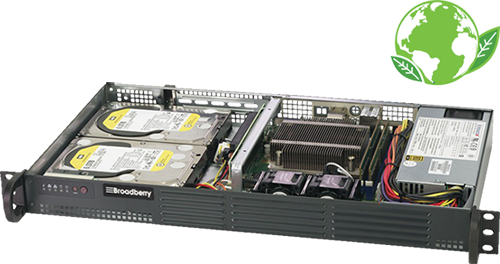
Energy-efficient computing refers to designing and operating computing systems—servers, laptops, data centers, networks, and even cloud platforms—so they consume less power, generate less waste heat, and perform at equal or higher efficiency.
In simple terms: it’s the science of doing more with less energy.
It includes everything from energy-optimized hardware to smart software algorithms, efficient cooling, and renewable-powered operations. According to the U.S. Department of Energy, energy-efficient data centers “offer a tremendous opportunity for energy and cost savings.”
Even small tweaks can make a big impact. Research from MIT Energy Initiative suggests that future innovations could reduce computing energy use by over 50% through better chip design and workload management.
Why Does It Matter? Can It Really Save the Planet?
The Global Power Problem
- Data centers now consume 1–2% of global electricity.
- In the U.S. alone, that figure could rise to 9% by 2030, according to Reuters.
- Every AI model, crypto transaction, or video stream adds to this load.
If we don’t improve efficiency, the environmental footprint of computing could soon rival aviation. The Environmental and Energy Study Institute warns that power-hungry data centers are straining grids and threatening climate progress.
Why It’s a Planetary Issue
Every kilowatt-hour saved in computing translates into reduced carbon emissions, fewer fossil fuels burned, and less waste heat released. Energy-efficient computing directly reduces greenhouse gas emissions, water use, and e-waste.
Yet the challenge remains: efficiency gains must outpace demand growth. Without that, the rebound effect (more computing because it’s cheaper) could erase progress.
Proof It Can Work
Between 2010 and 2018, global computing output rose by 550%, but data center energy usage increased by only 6%—largely due to efficiency improvements by companies like Google. That’s proof energy efficiency can decouple growth from emissions.
Benefits of Energy-Efficient Computing
Environmental Gains
- Lower emissions: Reduced energy use = fewer fossil fuels burned.
- Less waste heat: Efficient systems produce less thermal output, reducing cooling needs.
- Longer hardware life: Energy-optimized systems run cooler, failing less often, reducing e-waste.
Economic Advantages
- Lower operational costs: Improved Power Usage Effectiveness (PUE) reduces electricity bills.
- Lower cooling costs: Every watt saved in computing saves ~0.5 watts in cooling.
- Example: Energy.gov reports that an ENERGY STAR desktop can save $62 over its lifetime.
Strategic & Reputational Benefits
- Stronger ESG scores and public goodwill.
- Compliance with future carbon-reduction policies.
- Competitive advantage: customers increasingly prefer green companies.

Does Energy-Efficient Computing Just Cost More?
This is the million-dollar question—literally.
The Short Answer
It can cost more initially, but save more long-term.
Breaking Down the Trade-Offs
| Aspect | Short-Term Impact | Long-Term Impact |
|---|---|---|
| Hardware | Higher upfront investment | Reduced operational & replacement costs |
| Cooling systems | Expensive upgrades | Lower energy bills |
| Staff training | Requires expertise | Improved productivity & automation |
| Environmental footprint | Neutral initially | Major emission reductions |
Upfront Investment Pain Points
- Efficient chips and servers cost 10–25% more.
- Green data centers require advanced infrastructure.
- Retrofitting older equipment can disrupt operations.
The Bigger Picture
When considering total cost of ownership (TCO)—including electricity, maintenance, and cooling—the payback period for energy-efficient investments is often under three years. That’s why global tech giants are doubling down despite the higher sticker price.
Real-World Examples of Success
1. Google’s Cooling Revolution
Google’s AI-driven cooling reduced data center energy by 40%. Despite massive growth in computation, their power use rose marginally. Proof that intelligence + innovation = sustainability.
2. ENERGY STAR Office Systems
The Federal Energy Management Program found that certified desktops saved $62 over lifetime. That may sound small—until you multiply it across 10,000 units.
3. Small Business Cloud Migration
A 2024 Dataforma study showed that moving from in-house servers to cloud reduced small business power use by up to 50%.
4. Cooling & Infrastructure Innovations
Modern facilities like Microsoft’s under-sea data center experiment have shown 93% lower failure rates and significantly improved efficiency.
FAQ: Trending Questions Americans Are Asking
Q1. Can Energy-Efficient Computing Really Lower My Electric Bills?
Yes. For both homes and businesses, efficiency means direct savings. According to, an efficient desktop saves around $62 across its lifecycle. Businesses that monitor usage and power-down idle machines often save 20–30% on energy annually.
Takeaway: You save money and help the planet simultaneously.
Q2. Does Energy-Efficient Computing Actually Help Climate Change?
Absolutely—but only when paired with clean energy. When data centers switch to renewable power and reduce energy waste, emissions drop sharply. However, if efficiency leads to more computing without cleaner energy, the gains can be offset.
Takeaway: Efficiency + renewable energy = real climate impact.
Q3. What’s Holding Companies Back?
- Upfront costs of efficient hardware.
- Complex upgrades to legacy systems.
- Lack of expertise in energy management.
- Rebound effect: more use after savings.
Yet, companies adopting sustainability goals—like ESG compliance—are overcoming these hurdles faster than ever.
Q4. How Can Companies Measure Energy Efficiency?
Businesses typically track:
- PUE (Power Usage Effectiveness): Total facility energy ÷ IT equipment energy.
- Utilization rate: Active workload vs idle hardware.
- Carbon intensity: CO₂ emitted per task or transaction.
- Lifecycle cost: Equipment cost + energy + maintenance.
Monitoring these metrics regularly ensures steady progress.
Q5. Which Hardware and Software Strategies Work Best?
Hardware:
- Low-power processors
- Efficient PSUs
- SSDs over HDDs
Software:
- Energy-aware algorithms
- Virtualization
- Sleep-mode policies
Operations:
- Shift workloads to off-peak hours
- Source renewable electricity
- Optimize cooling systems
Q6. Are There Limits to Efficiency?
Yes. According to, there’s a theoretical energy floor for computation. And the historical Koomey’s law—doubling computations per joule every 2–3 years—is slowing.
Translation: We can still improve a lot, but infinite efficiency isn’t possible.
Q7. Is It Worth It for Small Businesses or Individuals?
Definitely.
- Buy ENERGY STAR-certified devices.
- Use built-in power management.
- Move to efficient cloud providers.
Even a 10% cut in electricity saves hundreds of dollars yearly for a small office.
Q8. What Technologies Are Shaping the Future?
- Optical/photonic chips: Up to 100× more efficient.
- AI-driven cooling for data centers.
- Liquid immersion cooling.
- Workload scheduling aligned with renewable energy peaks.
These emerging techs will drive the next wave of efficiency.
Q9. Can Energy-Efficient Computing Backfire?
Yes—through the rebound effect: as energy per task drops, usage may soar. warns that AI workloads might erase efficiency gains if unchecked.
Solution: Cap usage growth or tie it to renewable energy capacity.
Q10. How Can My Organization Start?
Practical Roadmap:
- Audit: Measure current energy use.
- Benchmark: Establish PUE and utilization baselines.
- Set Goals: e.g., 25% energy reduction in 12 months.
- Prioritize: Power-down idle machines, upgrade inefficient ones.
- Monitor: Track via smart sensors or cloud dashboards.
- Report: Share ESG progress publicly for accountability.
Takeaway: Start small. Measure, act, and improve.
Practical Advice for Every Stakeholder
For Households
- Buy ENERGY STAR devices.
- Use power-saving modes.
- Turn off idle systems.
For SMBs
- Adopt cloud instead of on-premise servers.
- Use virtualization and efficient cooling.
- Conduct quarterly power audits.
For Large Enterprises
- Integrate AI-driven cooling systems.
- Monitor PUE continuously.
- Switch to renewable sources.
- Report results in ESG disclosures.
Is the “Planet-Saving” Promise Real or Over-Hyped?
Optimistic View
- Major companies (Google, Microsoft) prove massive gains are possible.
- Efficiency decouples digital growth from emissions.
- Innovation cycles continue driving energy performance upward.
Cautious View
- If energy sources remain dirty, benefits shrink.
- AI workloads are ballooning power needs.
- Smaller firms may struggle with upfront investments.
Verdict: Energy-efficient computing can save the planet—but only if matched with clean power and mindful consumption.
Final Takeaway
Energy-efficient computing isn’t just a cost-saving tactic—it’s a moral and strategic imperative. The technology world faces an energy reckoning, and the solutions are here: efficient chips, smarter cooling, renewable grids, and responsible AI.
Whether you’re a small business owner, IT manager, or curious individual, every watt you save matters.
The future of computing will either drain our planet—or drive its renewal. The choice is ours.